

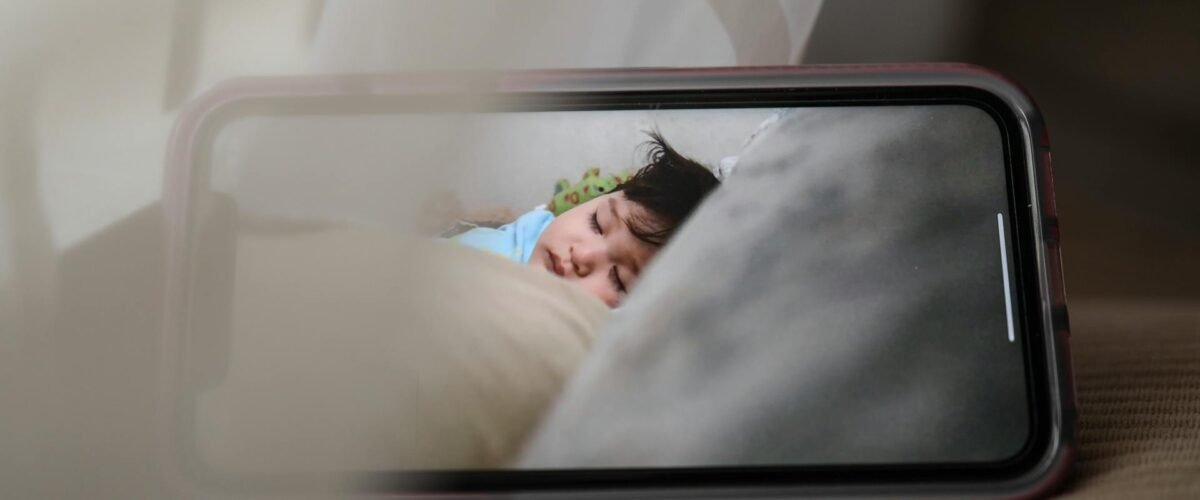
Best Baby Monitors: What to Look For and What Not to Waste Money On
Buying a baby monitor should be simple.
You need to hear or see your baby when you are in another room. That is the job.
Instead, baby monitors now promise breathing alerts, sleep scores, oxygen readings, cry detection, temperature tracking, cloud recordings and enough data to make bedtime feel like a medical experiment.
Some features are genuinely useful. Others add cost, subscriptions, privacy concerns and more reasons to stare at an app at 2am.
This honest UK guide explains the main types of baby monitors, which features matter, what is usually unnecessary and how to choose a monitor that suits your home without confusing reassurance with safety.
The quick answer: The best baby monitors are the simplest models that reliably meet your actual needs. Many families need only clear audio, dependable range and good battery life. Choose video when seeing your baby will genuinely help, and choose Wi-Fi or health-tracking features only when you understand the privacy, security, subscription and false-alarm trade-offs.
A baby monitor can provide reassurance, but it cannot prevent sudden infant death syndrome, replace safer sleep or replace adult supervision.
Do You Actually Need a Baby Monitor?
Not every family needs one immediately.
For at least the first six months, UK safer-sleep guidance recommends that your baby sleeps in their own clear, flat sleep space in the same room as you, during the day and at night.
That means baby monitors may have limited use during the earliest weeks, particularly in a small flat where you can already hear your baby easily.
A monitor may become useful when:
- Your baby naps while you are in another room
- Your home has several floors
- Thick walls make crying difficult to hear
- You spend time in a garden or home office
- Your baby later moves into a separate room
- You care for twins or siblings in different rooms
- Hearing difficulties make visual alerts helpful
- A healthcare team has recommended a specific medical monitor
You may not need one when:
- Your baby remains beside you for nearly every sleep
- Your home is small and sound carries clearly
- Monitoring increases your anxiety rather than reducing it
- You are buying one only because a checklist says every parent must
The question is not, “Do good parents buy baby monitors?”
The question is, “What problem would this monitor solve in our home?”
Read next on MyBoo: The Only Newborn Essentials List You Actually Need
The Main Types of Baby Monitors
The best baby monitors fall into four broad groups: audio, video, Wi-Fi smart monitors and movement or health-tracking monitors.
Each solves a different problem.
1. Audio Baby Monitors
An audio baby monitor lets you hear sounds from your baby’s room through a separate parent unit.
It is the simplest option and, for many families, the most practical.
Advantages
- Usually less expensive than video models
- Straightforward setup
- No camera privacy concerns
- Often works without home Wi-Fi
- Portable around the house
- Good battery life is easier to achieve
- Less temptation to watch every movement
Limitations
- You cannot check your baby’s position visually
- You may enter the room for ordinary sleep noises
- Range and sound quality vary
- Some models pick up interference
Best for
- Parents who mainly need to hear crying
- Smaller homes
- Travel
- Families avoiding app-based products
- Anyone who wants fewer features and fewer distractions
A reliable audio baby monitor should prioritise clear sound, consistent connection, useful range, rechargeable battery life and an obvious out-of-range warning.
You do not need twenty lullabies or a colour-changing night-light if the monitor cannot reliably transmit sound from the nursery to the kitchen.
2. Video Baby Monitors
A video baby monitor adds a camera and screen, allowing you to see as well as hear your baby.
Many non-Wi-Fi models use a dedicated parent unit rather than a phone app.
Advantages
- Lets you check whether your baby is awake or simply noisy
- Can reduce unnecessary room entries
- Useful when older babies stand or move around the cot
- Helpful for checking whether a toddler has left bed
- Often includes night vision
- Dedicated-screen models do not depend on your phone
Limitations
- Costs more than a basic audio model
- Video can encourage constant checking
- Parent-unit batteries may run down quickly
- Picture quality in darkness varies
- Pan, tilt and zoom can add cost without being necessary
Best for
- Larger or multi-storey homes
- Parents who find visual confirmation reassuring
- Older babies and toddlers
- Families monitoring more than one sleep space
- Parents with hearing loss when visual alerts are included
For most families, the best video baby monitor does not need cinema-quality resolution. It needs a clear enough night image to answer simple questions:
- Is my baby awake?
- Are they standing?
- Has the toddler left the bed?
- Do I need to go into the room?
That is usually enough.
3. Wi-Fi and Smart Baby Monitors
A smart baby monitor connects to your home internet and sends video, audio or alerts to an app.
Some allow access from outside the home, cloud recording, sleep analysis or sharing with another caregiver.
Advantages
- View the feed on a phone or tablet
- Check in while away from home
- Easier remote access for another authorised caregiver
- May store clips or sleep history
- Software updates can add features
- Often offers high-resolution video
Limitations
- Depends on Wi-Fi and internet reliability
- May become less useful during an outage
- Can create privacy and cybersecurity risks
- Some features require monthly subscriptions
- Phone notifications can become intrusive
- Software support may eventually end
- Setup is usually more complicated
Best for
- Parents who genuinely need remote access
- Caregivers who want to share access securely
- Homes with stable Wi-Fi
- People comfortable managing passwords, updates and privacy settings
Do not buy a smart baby monitor only because it appears more advanced.
Buy one when remote access, app alerts or recording solves a real need that a dedicated monitor cannot.
4. Movement, Breathing and Wearable Monitors
These baby monitors may use:
- A sensor pad under the mattress
- A clip attached to a nappy
- A sensor touching the baby’s skin
- A wearable sock or band
- Camera-based movement analysis
Some products measure movement associated with breathing. Others claim to estimate heart rate, oxygen levels or sleep quality.
The most important point is this:
There is no research evidence that ordinary home baby monitors prevent SIDS.
For a healthy baby, a consumer breathing or oxygen tracker should not be treated as protection against sudden infant death or as a replacement for safer sleep.
These products may also produce false alarms or false reassurance.
When your baby has a medical condition or a clinician believes monitoring is needed, follow the healthcare team’s advice about the correct device and what readings mean.
If you choose a movement monitor for reassurance, check whether it is genuinely classed as a medical device rather than merely marketed with medical-sounding language. Look for the manufacturer’s medical-device information and appropriate CE or UKCA marking for the UK market.
How to Choose the Best Baby Monitors for Your Home
The best baby monitors are not determined by the longest feature list.
Choose according to your home, baby, routine and tolerance for technology.
1. Start With the Problem
Write down the main reason you need a monitor.
Examples:
- “I cannot hear the bedroom from downstairs.”
- “I want to know whether my toddler has climbed out of bed.”
- “I need visual alerts because I have hearing loss.”
- “I want a monitor that works in a holiday cottage without Wi-Fi.”
- “I need two cameras for two rooms.”
Once the problem is clear, unnecessary features become easier to reject.
2. Check the Real Range
Manufacturers often advertise range in open spaces.
Real homes contain:
- Thick walls
- Floors
- Doors
- Insulation
- Metal
- Other wireless devices
Choose baby monitors with an out-of-range warning and test the signal in the places where you will actually use the parent unit.
A monitor that works perfectly beside the cot but loses connection in your kitchen is not the right monitor for your home.
3. Prioritise Clear Audio
Even when buying video, audio remains essential.
Check for:
- Clear speech and crying
- Adjustable sensitivity
- Volume that is loud enough for your needs
- A visual sound indicator
- Low background hiss
- Reliable connection
Voice-activated mode, sometimes called VOX, can keep the parent unit quiet until the monitor detects sound. This may preserve battery and reduce constant background noise.
4. Look at Battery Life Properly
Battery claims may depend on:
- Screen brightness
- Video being switched off
- Power-saving mode
- New battery condition
- Limited use of two-way talk
Think about how long the parent unit needs to last away from its charger.
A large bright screen is not useful when the battery dies halfway through the evening.
5. Decide Whether You Need a Dedicated Screen
A dedicated parent unit means:
- Your phone remains free
- Another caregiver can use the monitor easily
- Notifications and calls do not interrupt the feed
- The monitor may work without internet
A phone-based smart baby monitor means:
- One less device to carry
- Remote access may be possible
- Updates and app features may be available
- You depend more heavily on your phone and network
Neither option is automatically better.
Choose the one that creates less friction in your household.
6. Check Night Vision, Not Just Daytime Video
Most monitoring happens in a dark room.
The useful questions are:
- Can you see the cot clearly?
- Does the image remain usable in total darkness?
- Is the night-vision light distracting?
- Does motion become excessively blurred?
- Can you see the whole sleep space from the mounting position?
Do not judge a video baby monitor only by bright promotional footage.
7. Treat Temperature Readings as a Guide
A temperature sensor can be useful, but its reading may be affected by placement near:
- A radiator
- A window
- Direct sunlight
- The ceiling
- The monitor’s own heat
Safer-sleep guidance recommends a room temperature of approximately 16–20°C, but check your baby’s chest or the back of their neck rather than relying on the monitor alone.
Read next on MyBoo: The Complete Newborn Sleep Guide
8. Check Whether Extra Cameras Are Supported
Multi-camera support can be useful for:
- Twins
- Siblings
- A nursery and playroom
- A baby who naps in different rooms
Before buying, check:
- How many cameras are supported
- Whether the display can show split screen
- How sound alerts work between rooms
- Whether additional cameras remain available
- Whether adding cameras requires another subscription
Do not pay for a four-camera package when you currently need one camera and have no realistic plan for more.
9. Look at the Total Cost, Not the Box Price
The true cost of smart baby monitors may include:
- Cloud recording
- Sleep history
- Extra caregivers
- Advanced alerts
- Additional cameras
- Replacement batteries
- Wall mounts
- App subscriptions
Ask which features stop working when the free trial ends.
A cheaper monitor with an ongoing subscription can cost more over several years than a simple dedicated model.
10. Check Returns, Warranty and Support
Before buying, check:
- Warranty length
- Returns process
- Replacement-part availability
- Battery availability
- Customer-support contact details
- Security-update period for connected models
- Whether the company has a clear UK presence
For smart baby monitors, UK product-security rules require manufacturers of consumer connectable products to meet baseline cybersecurity requirements, including providing information about the security-support period.
A smart product without clear support information is not a smart purchase.
Baby Monitor Security and Privacy
A Wi-Fi camera is an internet-connected camera inside your home.
Treat it accordingly.
The UK National Cyber Security Centre includes smart cameras and baby monitors in its connected-device security guidance.
Use a Unique Password
Never keep a default password.
Use a strong password that you do not reuse for another account.
If the app offers two-step verification, switch it on.
Install Updates
Updates may fix security weaknesses.
Turn on automatic updates where available or check regularly.
Do not continue using a connected monitor indefinitely after the manufacturer stops providing security support.
Secure the Home Network
Use current router security, a strong Wi-Fi password and an up-to-date router.
Avoid accessing the monitor through untrusted public Wi-Fi unless the system is designed to protect that connection.
Review Who Has Access
Remove access for:
- Previous caregivers
- Old household members
- Devices you no longer use
- Shared accounts that are no longer needed
Use individual accounts where the service allows them.
Understand Recording and Cloud Storage
Before enabling recording, check:
- What is stored
- Where it is stored
- How long it remains available
- Whether audio is recorded
- Who can download it
- How it can be deleted
- Whether a subscription is required
A camera in a nursery may capture private family conversations as well as your baby.
Be Cautious With Unknown Brands
A low price does not compensate for:
- No clear manufacturer
- No security-update information
- Poor privacy documentation
- Unresponsive support
- Weak account protection
- An app with a history of abandonment
The best baby monitors should still be supported after the excitement of the purchase has disappeared.
Baby Monitor Placement and Cable Safety
Correct placement matters as much as product choice.
Keep Every Cable Out of Reach
Monitor cables can become strangulation hazards.
Place the camera, power cable and control unit well beyond your baby’s reach, including after they learn to roll, sit, stand and climb.
Secure cables firmly rather than leaving loops or slack near the cot.
Never attach a powered camera or loose cable to cot rails unless the manufacturer’s instructions specifically provide a safe system designed for that purpose.
Recheck placement whenever furniture moves or your baby gains a new skill.
Read next on MyBoo: Baby-Proofing Your Home: A Room-by-Room Checklist
Make Sure the Camera Cannot Fall Into the Cot
Use the correct mount for the wall, shelf or stand.
Avoid balancing a monitor on:
- A cot rail
- A stack of books
- An unstable shelf
- A loose fabric pocket
- Furniture your child can shake
Follow the installation instructions.
Frame the Whole Sleep Space
Place video baby monitors where you can see the cot without positioning the device over your baby’s head.
Check the view during both daylight and darkness.
As your child grows, consider whether the camera reveals useful areas such as the bedroom door rather than only one corner of the mattress.
Keep the Sleep Space Clear
Do not add pillows, wedges, nests, bumpers or positioners simply to improve the camera view or keep your baby in one position.
Baby monitors do not change safer-sleep guidance.
Place your baby on their back in a clear cot or Moses basket with a firm, flat mattress.
Read the NHS safer-sleep guidance before setting up the nursery.
Features Worth Paying For
The following features can genuinely improve baby monitors when they match your needs.
Reliable Connection Alerts
The parent unit or app should tell you clearly when:
- The signal is lost
- The camera is switched off
- Wi-Fi disconnects
- The battery is low
Silence should not leave you wondering whether your baby is quiet or the monitor has stopped working.
Clear Night Audio and Video
Night performance matters more than impressive daytime footage.
Useful Battery Life
A monitor should remain usable through the period when you need it away from the charger.
Visual Sound Indicators
Lights or vibration can help when:
- The television is on
- You are vacuuming
- You are wearing headphones
- You have reduced hearing
Two-Way Talk
This can help you reassure an older baby or toddler briefly without entering immediately.
Some children find a voice coming from the camera confusing, so treat it as optional rather than essential.
Easy Controls
Exhausted parents should not need several menus to adjust volume or brightness.
Multi-Camera Support
Worth paying for only when you have a realistic need for multiple rooms or children.
A Secure Wall Mount
A stable mounting option may matter more than digital zoom or decorative features.
Features You Probably Do Not Need
The best baby monitors avoid charging you for anxiety disguised as technology.
4K or Ultra-High-Resolution Video
You need to see whether your baby is awake, safe in the cot or attempting an escape.
You do not need to inspect their eyelashes in cinematic detail.
Higher resolution may also use more data and storage.
Constant Sleep Scores
Sleep analytics can create the impression that every normal wake, movement or short nap needs fixing.
Babies’ sleep changes frequently.
A score cannot tell you whether your baby is hungry, teething, developing, unwell or simply behaving like a baby.
Read next on MyBoo: Sleep Regressions: What They Are, When They Hit and How to Survive Them
Consumer Oxygen or Heart-Rate Tracking for a Healthy Baby
A health-style display can feel protective while producing false alarms, missed events or false reassurance.
Do not use a consumer tracker to make medical decisions or replace safer-sleep practice.
When monitoring is medically needed, use the device and response plan recommended by your healthcare team.
Expensive Subscriptions for Basic Functions
Be cautious when essential features such as meaningful history, additional users or basic alerts disappear without payment.
Built-In Projectors and Large Lullaby Libraries
These can be pleasant, but they do not determine whether a baby monitor performs its main job.
Automatic Cry Translation
An app cannot reliably tell you whether every cry means hunger, wind, tiredness, discomfort or illness.
Learn your baby’s wider cues rather than outsourcing the entire decision to software.
Read next on MyBoo: Why Is My Baby Crying? A Practical Guide to Decoding the Cues
Remote Access You Will Never Use
Do not accept the privacy and security trade-offs of an internet-connected camera when you only need audio between two nearby rooms.
Which Baby Monitor Is Best for Your Situation?
Small Flat and Newborn in Your Room
You may not need a monitor immediately.
When you want one for naps, a basic audio baby monitor may be enough.
Two-Storey or Larger Home
Prioritise range, connection alerts and battery life.
Audio may still be enough, but video can reduce unnecessary trips upstairs.
Frequent Travel
A dedicated non-Wi-Fi monitor can be easier because it does not depend on unfamiliar networks or app setup.
Check the power requirements and whether the parent unit battery lasts.
Older Baby Who Stands in the Cot
A video baby monitor may help you decide whether they are settling, sitting, standing or genuinely need assistance.
Toddler Moving Into a Bed
Video can help you see whether your toddler has left bed or is approaching a door.
Continue baby-proofing the entire room because a monitor cannot prevent climbing or access to hazards.
Twins or Two Children
Look for multi-camera support, split screen and clear sound switching.
Check how alerts identify which room needs attention.
Parent With Hearing Loss
Prioritise strong visual sound indicators, vibration alerts and compatibility with any accessibility equipment you use.
Parent Experiencing High Sleep Anxiety
More monitoring is not always more reassuring.
A screen, oxygen number or sleep score can lead to constant checking and less rest.
Choose the least intrusive monitor that solves the practical problem, and speak to your health visitor or GP when anxiety about your baby’s breathing or sleep is becoming difficult to manage.
Can You Buy a Baby Monitor Second-Hand?
A simple audio or non-Wi-Fi video monitor may be reasonable to buy used when it is complete, undamaged and working properly.
Check:
- Power cables and plugs
- Battery condition
- Camera mount
- Parent-unit screen
- Sound quality
- Range
- Instructions
- Recall history
- Availability of replacement parts
Be more cautious with used smart baby monitors.
Before using one:
- Confirm the manufacturer still provides security updates
- Reset it fully to factory settings
- Remove the previous owner’s account
- Create a new unique password
- Update the firmware
- Check that no unknown devices or users retain access
- Review cloud-storage settings
Avoid second-hand movement or medical-style monitors when their history, sensor condition or certification cannot be verified.
Read next on MyBoo: Buying Second-Hand Baby Gear: What Is Safe and What to Avoid
What Should You Do if a Movement Monitor Alarm Sounds?
Before using any alarm-based baby monitor, read the instructions and make sure every caregiver knows the response plan.
If an alarm sounds:
- Check your baby immediately.
- Look for movement of the chest or tummy.
- Place your cheek close to the baby’s face to listen and feel for breathing.
- Try to stimulate your baby by speaking, gently touching the face or tickling the soles of the feet.
- Never shake your baby.
- If your baby does not respond, call 999 immediately and put the phone on speaker.
- Follow the call handler’s instructions while help is coming.
When your baby responds but you remain concerned, seek urgent medical advice from NHS 111, your GP, midwife or health visitor.
The Lullaby Trust’s baby-monitor guidance provides further information on movement monitors and alarm response.
Baby Monitor FAQs
Do I Really Need a Baby Monitor?
Not necessarily.
During the first six months, your baby should sleep in their own sleep space in the same room as you. A monitor may still help during naps or when you briefly move elsewhere, but many families can wait before buying one.
Which Are the Best Baby Monitors?
The best baby monitors are the models that reliably solve your specific problem.
For many parents, that means a dependable audio monitor. Video is useful when seeing the room changes your response. Smart and health-tracking features are worth considering only when their additional cost, privacy risks and alerts provide genuine value.
Is an Audio or Video Baby Monitor Better?
Audio is simpler and may be all you need to hear crying.
Video allows you to check whether your baby is awake, standing or settling without entering the room.
Choose according to your home and how you expect to use it.
Do Baby Monitors Prevent SIDS?
No research evidence shows that ordinary home baby monitors prevent SIDS.
Continue following safer-sleep guidance whether or not you use a monitor.
Are Smart Baby Monitors Safe?
They can be used more securely when you choose a supported product, change default passwords, use a unique password, enable two-step verification and install updates.
No internet-connected device is completely risk-free.
Can a Baby Monitor Be Hacked?
An internet-connected monitor can be vulnerable when it has weak passwords, outdated software or poor manufacturer security.
Follow the National Cyber Security Centre’s smart-camera guidance to reduce the risk.
Is a Wi-Fi Baby Monitor Better?
Wi-Fi is useful when you need remote access or app-based sharing.
A dedicated non-Wi-Fi baby monitor may be simpler, more private and more reliable during internet outages.
Do I Need Breathing or Oxygen Monitoring?
Healthy babies do not routinely need consumer breathing or oxygen tracking.
These products do not replace safer sleep and have not been shown to prevent SIDS. Follow clinical advice when your baby has a condition requiring medical monitoring.
Where Should I Put the Baby Monitor?
Place it where the whole sleep space can be seen or heard while every cable and device remains securely beyond your child’s reach.
Do not place it inside the cot or balance it on unstable furniture.
How Far Should a Monitor Be From the Cot?
Follow the manufacturer’s placement instructions and keep the entire device and cable well outside your baby’s reach.
Reassess the position as your child learns to roll, stand and climb.
Is a Temperature Sensor Necessary?
No, but it can be a useful guide.
Do not rely on it alone. Check your baby’s chest or the back of their neck and keep the room at a comfortable temperature.
Can I Use a Home Security Camera as a Baby Monitor?
A general security camera may not provide dependable sound activation, parent-unit alerts, battery backup or nursery-specific controls.
Use a product designed for the monitoring job you need and examine its security, alert reliability and support period carefully.
Should I Keep the Monitor on All Night?
You can use it according to your needs and the manufacturer’s guidance.
Make sure the parent unit is charged, alerts are audible and cables remain safe. Do not let the monitor replace room-sharing guidance during the first six months.
Can Baby Monitors Increase Anxiety?
Yes.
Constant video, movement alerts and sleep scores can lead some parents to check repeatedly rather than rest.
Choose a simpler monitor or reduce non-essential notifications when monitoring is making sleep anxiety worse.
A Final Word From MyBoo
The baby-monitor industry often sells one emotion better than any feature:
Fear.
Fear that you will miss something.
Fear that a basic product is not enough.
Fear that another parent’s app, camera or oxygen graph makes their baby safer than yours.
Baby monitors can be useful. They can help you hear crying, avoid unnecessary room entries and check an older baby without opening the door.
But the best baby monitors remain tools—not substitutes for safer sleep, responsive care or medical advice.
Start with the problem you need to solve.
Choose the simplest product that solves it reliably.
Secure it properly.
Keep every cable out of reach.
Ignore features that collect data without improving your decisions.
And remember: peace of mind is valuable, but more information does not always create more peace.
Still unsure which type suits your home? Ask Boo, MyBoo’s 24/7 parenting guide to compare the options based on your space, routine and priorities.




💬 Join the conversation